Import / Export
Generic CSV and JSON import/export toolkit for any Prisma-backed table.
AI Skill for imports-exports
Prompt: Type
/imports-exports in your Copilot / Cursor or other chat to use skill with the provided context./imports-exports Add import and export to this table using the import/export feature. Requirements: - Follow the checklist at the bottom of the spec. - The Prisma model unique key for deduplication is: [slug / id / name - pick one]. - Required CSV columns are: [list your columns].
Overview
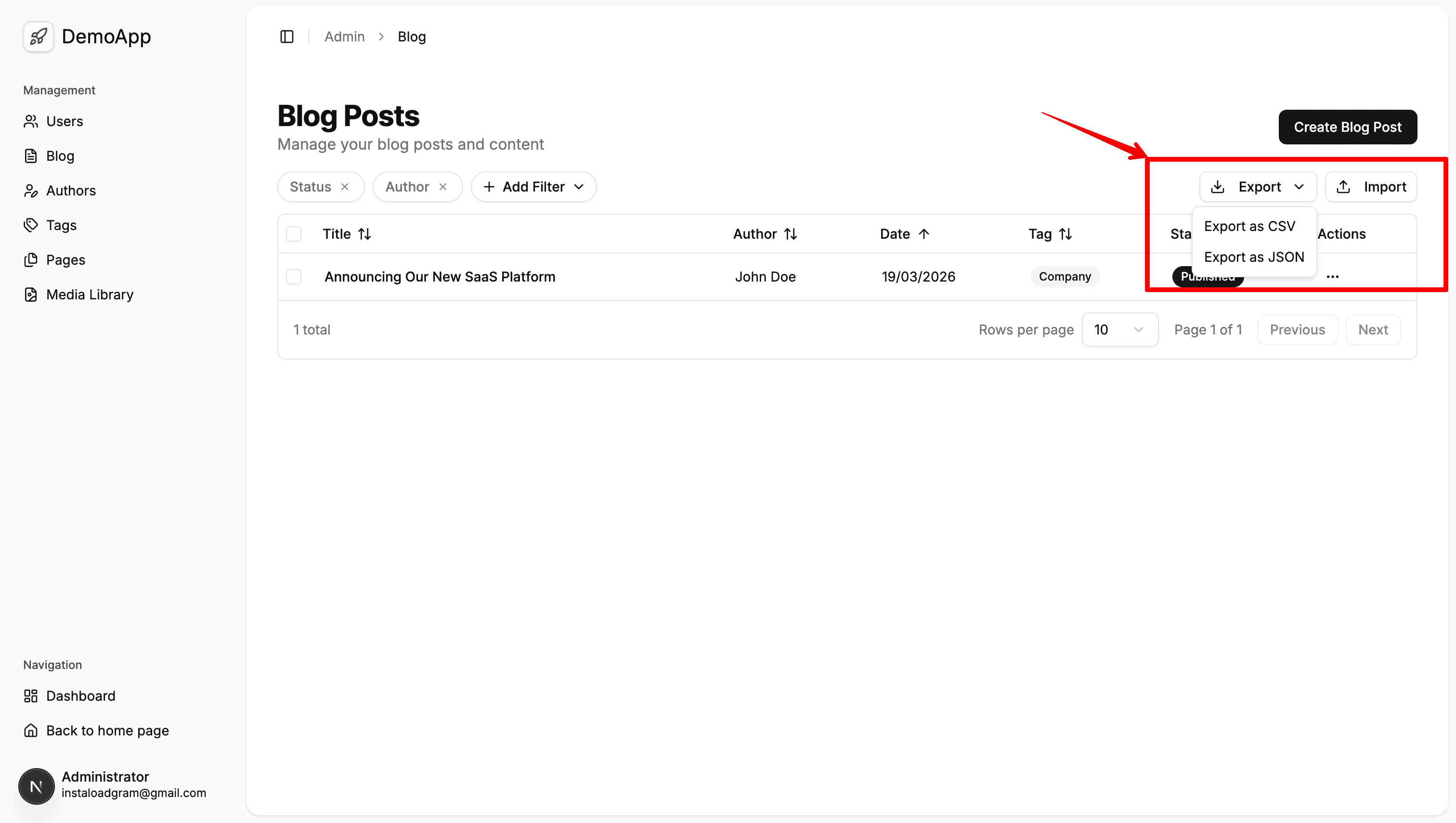
The @/features/common/import-export module provides a reusable, hook-driven import/export system for any Prisma model.
Quick Start
1. Server Action (Import)
Create a 'use server' action to handle deduplication and insertion.
'use server';

import { importRows, type ImportRow, type ImportResult } from '@/features/common/import-export';
import { prisma } from '@/lib/prisma';

export async function importMyRecords(rows: ImportRow[]): Promise<ImportResult> {
  return importRows({
    rows,
    findDuplicate: async (row) => !!await prisma.myModel.findUnique({ where: { slug: String(row.slug) } }),
    create: async (row) => {
      await prisma.myModel.create({
        data: { title: String(row.title), slug: String(row.slug) },
      });
    },
  });
}
2. Client Component (Export & Import Modal)
Use the hooks in your table component and pass the triggers to your DataTable.
'use client';

import { useImport, ImportModal, exportToCSV, exportToJSON } from '@/features/common/import-export';
import { Button } from '@/shared/components/ui/button';
import { DataTable } from '@/shared/components/data-table';
// import { importMyRecords } from './actions';

export function MyTable() {
  const imp = useImport({
    requiredHeaders: ['title', 'slug'],
    onImport: importMyRecords,
  });

  const handleExport = async (format: 'csv' | 'json') => {
    // Fetch data via oRPC or API here
    const rows = [{ title: 'Example', slug: 'example' }];
    format === 'csv' ? exportToCSV(rows, 'records') : exportToJSON(rows, 'records');
  };

  return (
    <>
      <DataTable
        columns={[]} // your columns
        data={[]}    // your data
        toolbarActions={
          <>
            <Button variant="outline" size="sm" onClick={() => handleExport('csv')}>Export CSV</Button>
            <Button variant="outline" size="sm" onClick={() => imp.setOpen(true)}>Import</Button>
          </>
        }
      />
      <ImportModal {...imp} onOpenChange={imp.setOpen} />
    </>
  );
}
Checklist
- Server action → Create
import-...action callingimportRows - Export procedure → Create oRPC
exportreturning all records - Hook calls → Set up
useImportand ahandleExportfunction toolbarActions→ Pass triggers to<DataTable><ImportModal />→ Render next to the table