Filters
URL-synced smart filter chips for feature toolbars.
AI Skill for filters
Prompt: Type
/filters in your Copilot / Cursor or other chat to use skill with the provided context./filters Add smart URL-synced filters to this page. Requirements: - Query keys: [page,size,search,status,...] - Filter chips: [list filters and types] - Backend mapping: [how each filter maps to API input]
Overview
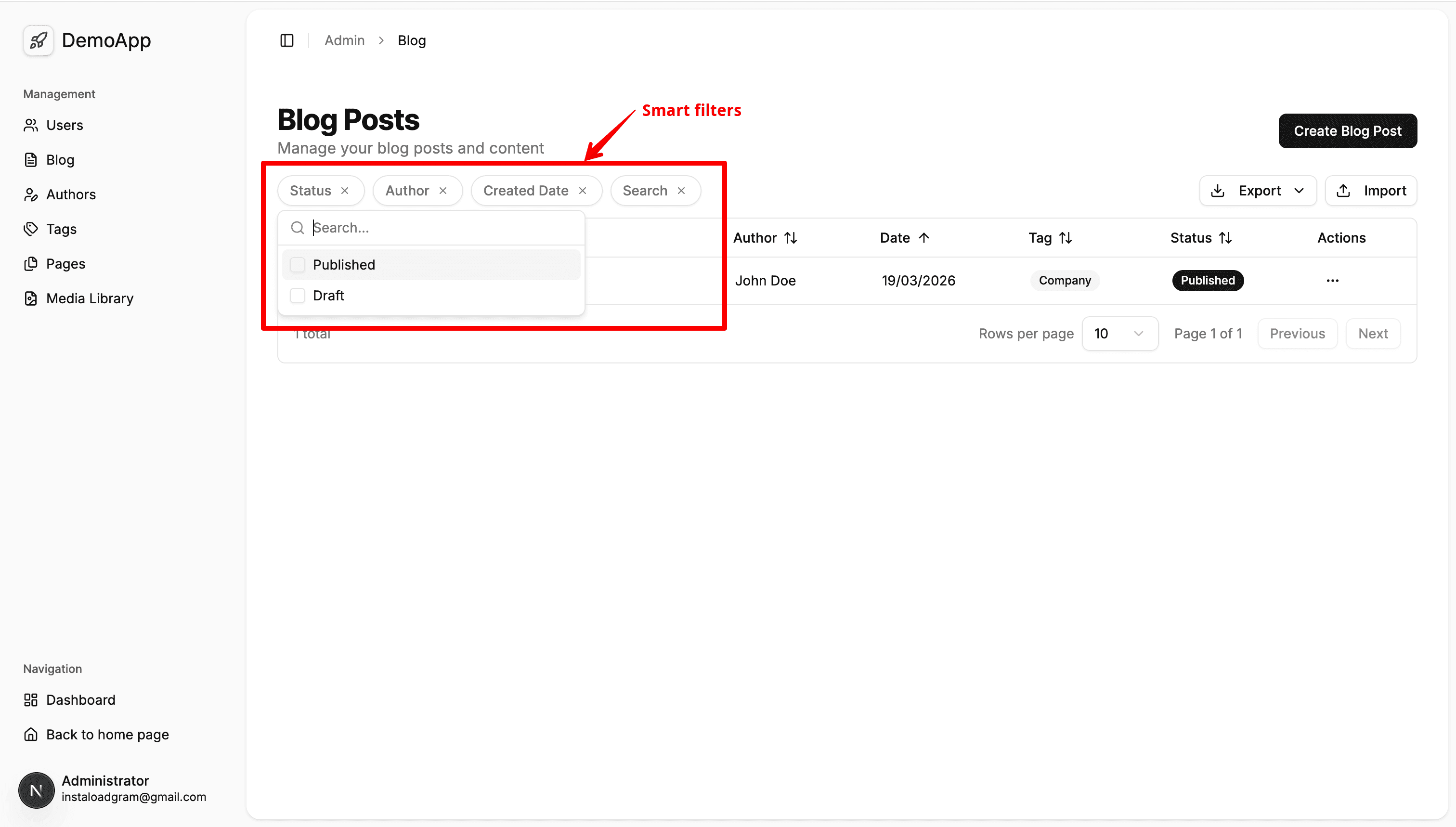
Smart Filters are reusable URL-synced chips from @/shared/components/filters.
- Filters are driven by URL query state (
useQueryStates) - Keep toolbar layout single-line with horizontal overflow
- Show first 2 chips by default; the rest in
Add Filter - Show
Clear filtersonly when at least one filter is active
Minimal Integration
'use client';

import {
  parseAsArrayOf,
  parseAsInteger,
  parseAsString,
  useQueryStates,
} from 'nuqs';
import {
  SmartFilterBar,
  type SmartFilterDefinition,
} from '@/shared/components/filters';

export function ExampleFiltersBar() {
  const [query, setQuery] = useQueryStates(
    {
      page: parseAsInteger.withDefault(1),
      size: parseAsInteger.withDefault(10),
      search: parseAsString.withDefault(''),
      status: parseAsArrayOf(parseAsString).withDefault([]),
    },
    { shallow: false },
  );

  const filterDefs: SmartFilterDefinition[] = [
    {
      key: 'status',
      label: 'Status',
      type: 'combobox',
      value: query.status,
      options: [
        { label: 'Published', value: 'published' },
        { label: 'Draft', value: 'draft' },
      ],
      onChange: (next) => {
        void setQuery({ status: next as string[], page: 1 });
      },
      onClear: () => {
        void setQuery({ status: [], page: 1 });
      },
    },
  ];

  return <SmartFilterBar filters={filterDefs} />;
}
Chip Rules
- Inactive chip label:
Label - Active chip label:
Label: value1, value2then+Nfor remaining values - Active chips include inline clear action for that key only
Add Filtershows only inactive filters and hides when all filters are visible
Supported Editors
combobox: multi-select (Command+Checkbox)datetime: date or date-range viaCalendarinput: text/numberrange: min/max inputs
Integration Checklist
- Define URL parsers with
useQueryStatesin the feature. - Build
SmartFilterDefinition[]from URL values. - Map filter values to backend API input shape.
- Reset
pageto1whenever filters change.